

Rollback
A rollback puts back what an earlier release published, for example after a change went live that shouldn’t have. It is for whoever publishes. Rollback never rewinds history: it makes a publish request from the earlier release, and publishing that request makes a new release.
Roll back to a release
Section titled “Roll back to a release”-
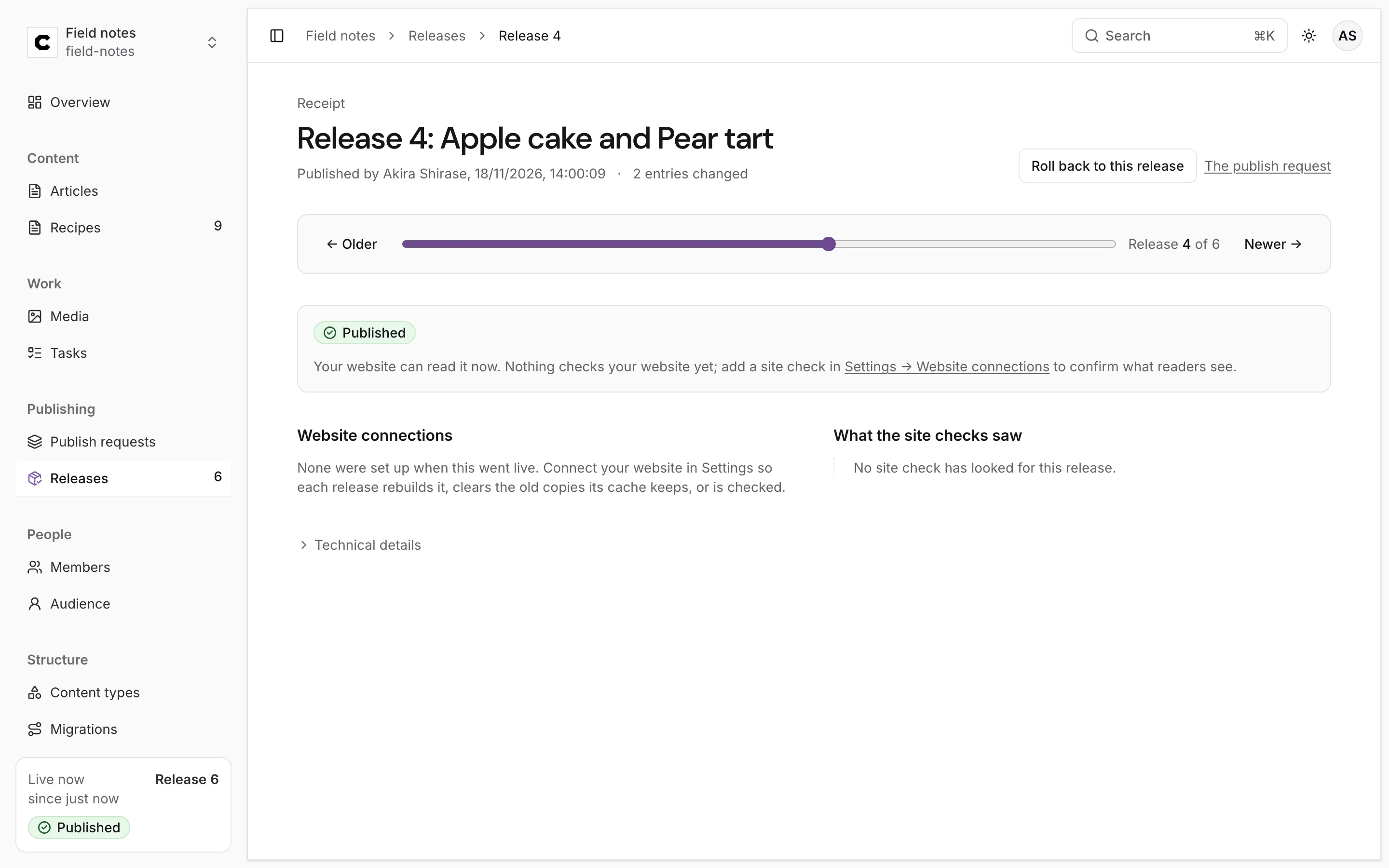
Open Releases in the sidebar and press the label of the release you want back. Its receipt opens.
-
Press Roll back to this release. It is on every release except the one that is live now, for any role that may edit content. While Colophon builds the request the button says Building the restore….
-
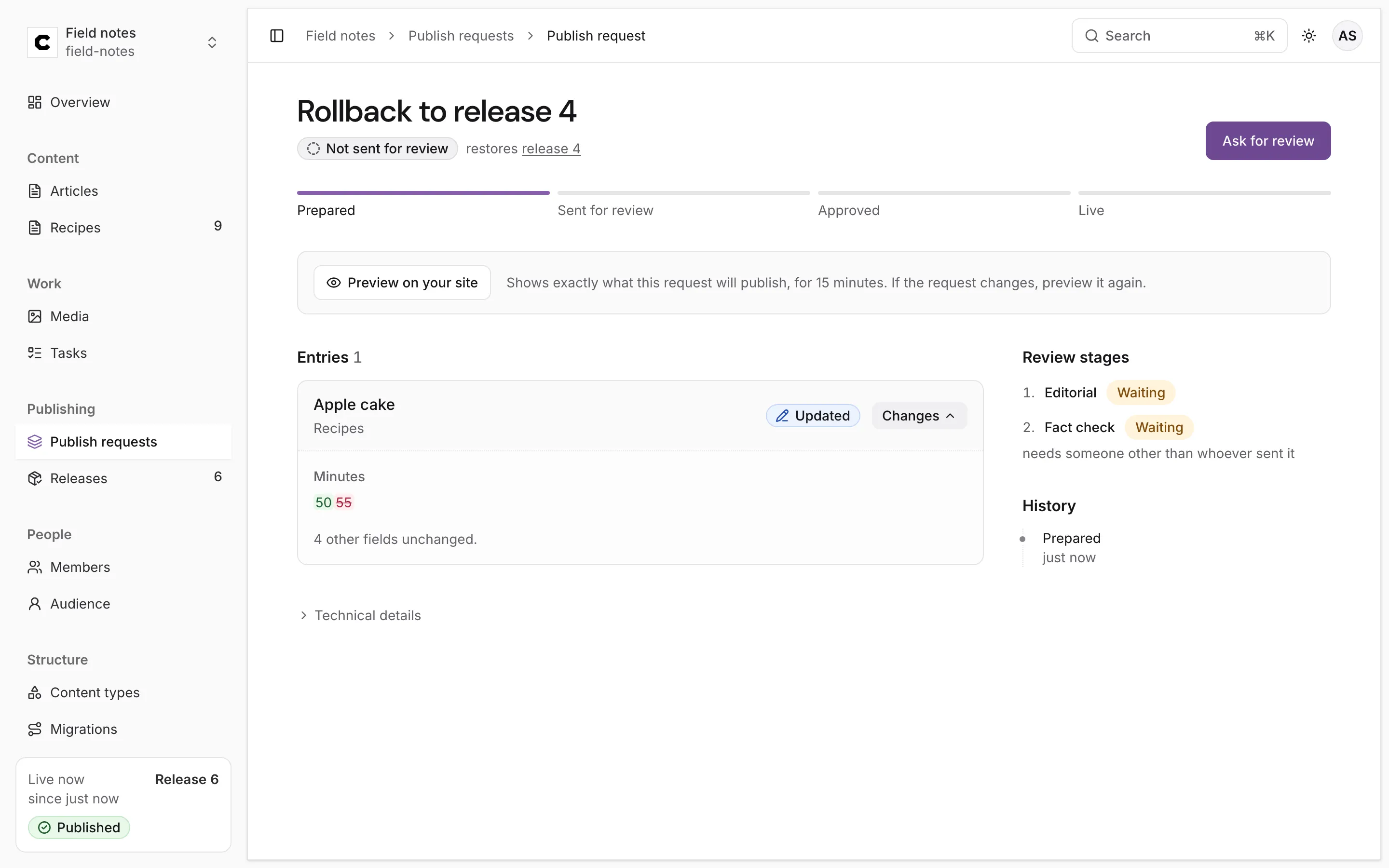
Colophon builds a publish request named Rollback to release 4 and opens it. It says restores release 4, and lists what it would change.
-
Check Entries. Changes shows, for each entry, how the earlier version differs from what readers have now.
-
Press Ask for review, have it approved, and publish it, exactly as for any publish request: see Publishing and review. Review stages apply too.
The request holds:
- the version that was live in that release, for each entry live then whose live version has changed since (marked Updated);
- a take-down (marked Taken down) for each entry that is live now but wasn’t live then.
Entries that are live now at the same version as then aren’t in it. If nothing differs, Colophon refuses to build an empty rollback: this environment already publishes what that release published.
Release numbers only go up
Section titled “Release numbers only go up”Publishing the rollback makes the next release, not the old number again. After rolling back to release 4 from release 6, the live release is 7, holding what 4 held, and releases 5 and 6 stay in the list with their receipts:
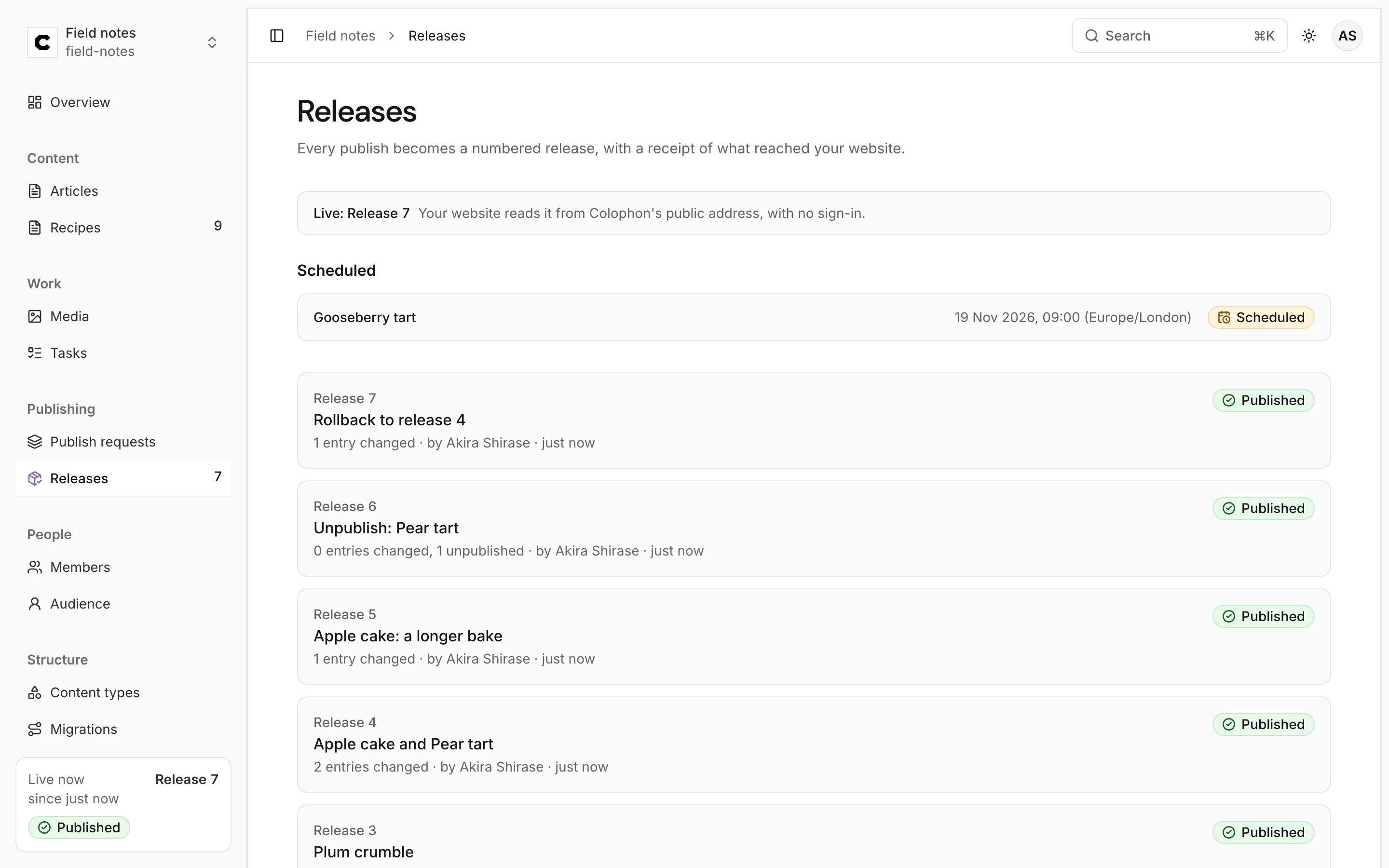
So the record of what was live, and when, is never rewritten. Sites and caches see an ordinary new release, and a reader who pinned an earlier release still reads it as it was.
An entry that was taken down stays down
Section titled “An entry that was taken down stays down”A rollback never brings back an entry that was taken down, even when you roll back to a release in which it was live.
Taking an entry down removes it from every release, past ones included: readers get 410 Gone for it
whichever release they ask for. A rollback restores what those releases publish now, so a taken-down
entry isn’t in the request at all. That is on purpose: an entry is usually taken down for a reason
(it was wrong, or it had to go for legal reasons), and an unrelated rollback must not quietly put it
back.
This is what happened in the example above:
| Release | What it did | Apple cake | Pear tart |
|---|---|---|---|
| 4 | Published both | Live, 50 minutes | Live |
| 5 | Changed Apple cake | Live, 55 minutes | Live |
| 6 | Took Pear tart down | Live, 55 minutes | Taken down |
| 7 | Rollback to release 4 | Live, 50 minutes | Still taken down |
The rollback request held only Apple cake. After release 7, Pear tart is still not published:
To bring a taken-down entry back, publish it again from its editor, in its own publish request or in the same one as the rollback.
Things to know
Section titled “Things to know”- Rollback works on the whole project. It restores everything the release published. To bring back one entry’s earlier version, use History and restore and publish that.
- Images come back as they were. Each release records the exact version of every image it published, and the rollback publishes those versions again.
- Links are checked like any publish. If the restored versions link to an entry that isn’t live, publishing is refused until that entry is published too: see Linked entries.
- Websites hear about it. The new release is announced to your website connections like any other, and its receipt says how far it got.
Was this page helpful?
Either answer opens a short issue on GitHub, so you can say what worked or what was missing.
Colophon home · the product, its blog and how to try it.