

History and restore
Every save makes a new version of an entry, and Colophon never writes over an old one. The History tab lists them all, so a writer can see what changed and bring an earlier version back.
See an entry’s versions
Section titled “See an entry’s versions”Open the entry and press History. The number on the tab is how many versions it has.
The newest version is at the top, marked Current draft. The version readers get is marked with its release, for example Live in Release 2. Each line shows the entry’s title as it was then and when it was saved; hold the pointer over Saved 4 minutes ago to see the exact time.
Compare a version with the draft
Section titled “Compare a version with the draft”-
Press Compare with draft on an older version.
-
The comparison opens under it: each field that differs, with the older value struck through and the draft’s value beside it, and how many fields are unchanged.
-
Press Hide to close it.
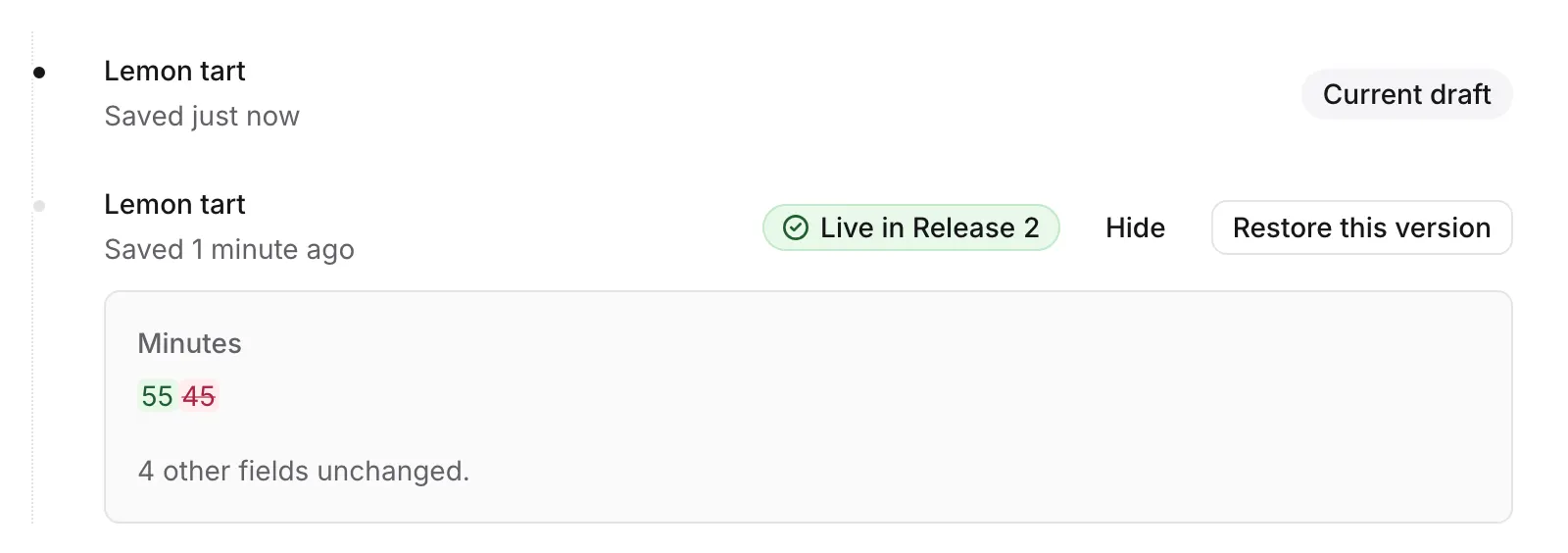
The comparison is with what is on your screen now, including changes still being saved.
Restore an older version
Section titled “Restore an older version”-
Wait until the side panel says Saved: restoring is offered only when your changes are saved.
-
Press Restore this version on the version you want back.
-
Its fields fill the editor and are saved at once, as a new version on top of the current one.
The editor confirms: Restored the version saved 4 minutes ago, as a new version. The newer ones stay in the history. Nothing is lost, so a restore can itself be undone by restoring the version before it.
Restoring changes the draft only. If the entry is live, readers keep getting the published version until you publish again: see Publishing and review.
Fields your role can’t change keep their current values, and fields your role can’t see are never sent, so a restore never touches what you aren’t allowed to edit. If every field is read-only for you, Restore this version isn’t shown.
Was this page helpful?
Either answer opens a short issue on GitHub, so you can say what worked or what was missing.
Colophon home · the product, its blog and how to try it.